
15 Things to Check Before Going Live With Your Website
 shipcheck
You have spent months building. The design is pixel-perfect, the copy is polished, and the product is ready. Your finger is hovering over the "Deploy" button. But then, that familiar feeling of anxiety hits.
Did I check the mobile view? Did we remove the ‘lorem ipsum’ text from the privacy policy? Is the contact form actually sending emails to the right inbox?
Launching a website is a high-stakes moment. A single "silent fail"—like a broken signup link or a hidden noindex tag—can ruin your first impression, kill your conversion rate, and waste your marketing budget. In the world of web development, what you don't know can hurt you.
This is why pilots use checklists, and why web developers should too.
In this guide, we will walk you through the essential before launching a website checklist. We will cover the 15 critical manual checks you must perform to ensure stability, security, and SEO visibility. Furthermore, we will review the top 5 automated tools that can run these audits for you in seconds, giving you the confidence to press "publish" without the panic.
Why You Need a ‘Before Launching a Website Checklist’
It is tempting to think, "I built it, so I know it works." However, functionality in a development environment rarely translates perfectly to a live production server. The stakes are much higher once you go live.
The Cost of "Launch Day" Disasters
First impressions are sticky. If a user visits your site on day one and encounters a specialized 404 error or a broken payment gateway, they are unlikely to return. You only get one chance to launch. A checklist acts as your safety net against revenue-killing bugs.
SEO Implications are Immediate
Search engines like Google effectively start crawling your site the moment they discover a link to it. If you accidentally leave your staging environment's noindex directives on your live site, you tell Google not to list you. This simple mistake can set your organic traffic growth back by weeks or even months.
Automating the Process
While manual reviews are necessary, they are also prone to human error. You might check the home page but forget the "About Us" page. This is where automation comes in. Tools like Shipcheck and others we will review later can scan hundreds of pages in minutes, catching issues that the human eye often misses.
The 15-Point Pre-Launch Checklist (Manual Review)
Before we look at the automated tools, run through this manual before launching a website checklist. These are the fundamental pillars of a healthy launch.
Technical & Security Checks
1. SSL Certificate Validation
Launching without HTTPS is no longer an option. Browsers like Chrome will flag your site as "Not Secure," frightening users away immediately. Ensure your SSL certificate is active. Crucially, check for "mixed content" warnings—this happens when a secure HTTPS page tries to load an insecure HTTP image or script.
2. Robots.txt & Sitemap
The robots.txt file is the instruction manual for search engine crawlers. In staging environments, developers often set this to "Disallow: /" to keep the unfinished site private. You must remove this line when going live. Additionally, verify that your sitemap.xml is generated correctly and only lists pages you want indexed.
3. Site Speed Performance
A slow site is a rejected site. Use Google PageSpeed Insights to check your Core Web Vitals. You want to look specifically at LCP (Largest Contentful Paint). If your hero image takes 4 seconds to load, your bounce rate will skyrocket.
4. Mobile Responsiveness
Do not just resize your desktop browser window to check responsiveness. Test your site on actual devices or accurate emulators. Check that buttons are large enough for thumbs (touch targets), text is readable without zooming, and no elements overflow the screen horizontally.
5. Broken Link Sweeping
Click every link. It sounds tedious, but it is necessary. Check internal navigation, footer links, and social media icons. Ensure external links open in a new tab (target="_blank") so you do not send users away from your site permanently.
SEO & Content Checks
6. Title Tags & Meta Descriptions
Every single page needs a unique Title Tag and Meta Description. These are your "ad copy" in search results. A common mistake is duplicating the home page title across every sub-page. This confuses search engines and lowers click-through rates.
7. Header Hierarchy (H1-H6)
Structure matters. Your page should have exactly one H1 tag (the main topic). Subsections should be H2s, and points within those should be H3s. This hierarchy helps screen readers navigate your content and helps Google understand the semantic structure of your article or landing page.
8. Image Optimization
Giant images are the number one cause of slow websites. Ensure all images are compressed (formats like WebP are best) and properly sized. Also, verify that every image has descriptive alt text for accessibility and image search SEO.
9. Favicon Functionality
The favicon is the tiny icon that appears in the browser tab. It is a small detail that screams "professionalism." Ensure it loads correctly and looks good in both light and dark mode browser themes.
10. Spell Check & Grammar
Nothing kills credibility faster than a typo in a headline or leftover "Lorem Ipsum" text in a text block. Read your copy aloud to catch awkward phrasing. Do a distinct "placeholder hunt" to ensure no development notes were left in the code or copy.
Functionality & Compliance
11. Form Testing
Do not assume your forms work. Fill out your contact form, newsletter signup, and lead magnet forms. Verify two things:
- The user gets a "Success" message or redirection.
- You actually receive the data in your email or CRM.
12. Analytics Installation
You cannot improve what you do not measure. Check that your Google Analytics 4 (GA4), Facebook Pixel, or privacy-friendly alternatives like Plausible are firing. Check real-time reports while you browse the site to confirm data receipt.
13. Social Open Graph Tags
When someone shares your link on Slack, Twitter/X, or LinkedIn, what generates? If you haven't set Open Graph (OG) tags, it will likely be a random image or nothing at all. Use a social preview tool to ensure your shared links look enticing.
14. Legal Pages
To run ads or operate legally in many jurisdictions, you need a Privacy Policy and Terms of Service. Ensure these are accessible (usually in the footer). If you have users in Europe or California, ensure your cookie consent banners are functioning correctly.
15. 404 Custom Page
Users will eventually type a wrong URL. Do not show them a generic clear server error. Create a helpful custom 404 page that guides them back to the homepage or shows them popular links. This keeps users on your site longer.
Top 5 Tools to Automate Your Pre-Launch Audit
Checking the 15 items above manually is vital, but it is also time-consuming and prone to oversight. To truly secure your launch, you need automation.
Web audit tools can crawl thousands of pages in minutes, checking code standards, broken links, and SEO tags instantly. Here are the top 5 tools to help you complete your before launching a website checklist.
Quick Comparison Table
| Tool | Best For | Standout Feature | Pricing Model |
|---|---|---|---|
| Shipcheck | Startups & Makers | Readiness Score + Slack Alerts | Free / $15 mo |
| Checkbot | Developers | Localhost / Chrome Extension | Free / $15 mo |
| Seobility | SEO Managers | Rank Tracking + TF*IDF Analysis | Free / €50 mo |
| Sitepager | Designers | Visual Change Detection | $29 / $119 mo |
| WooRank | Agencies | Sales & Lead Gen Reports | Custom / Trial |
1. Shipcheck
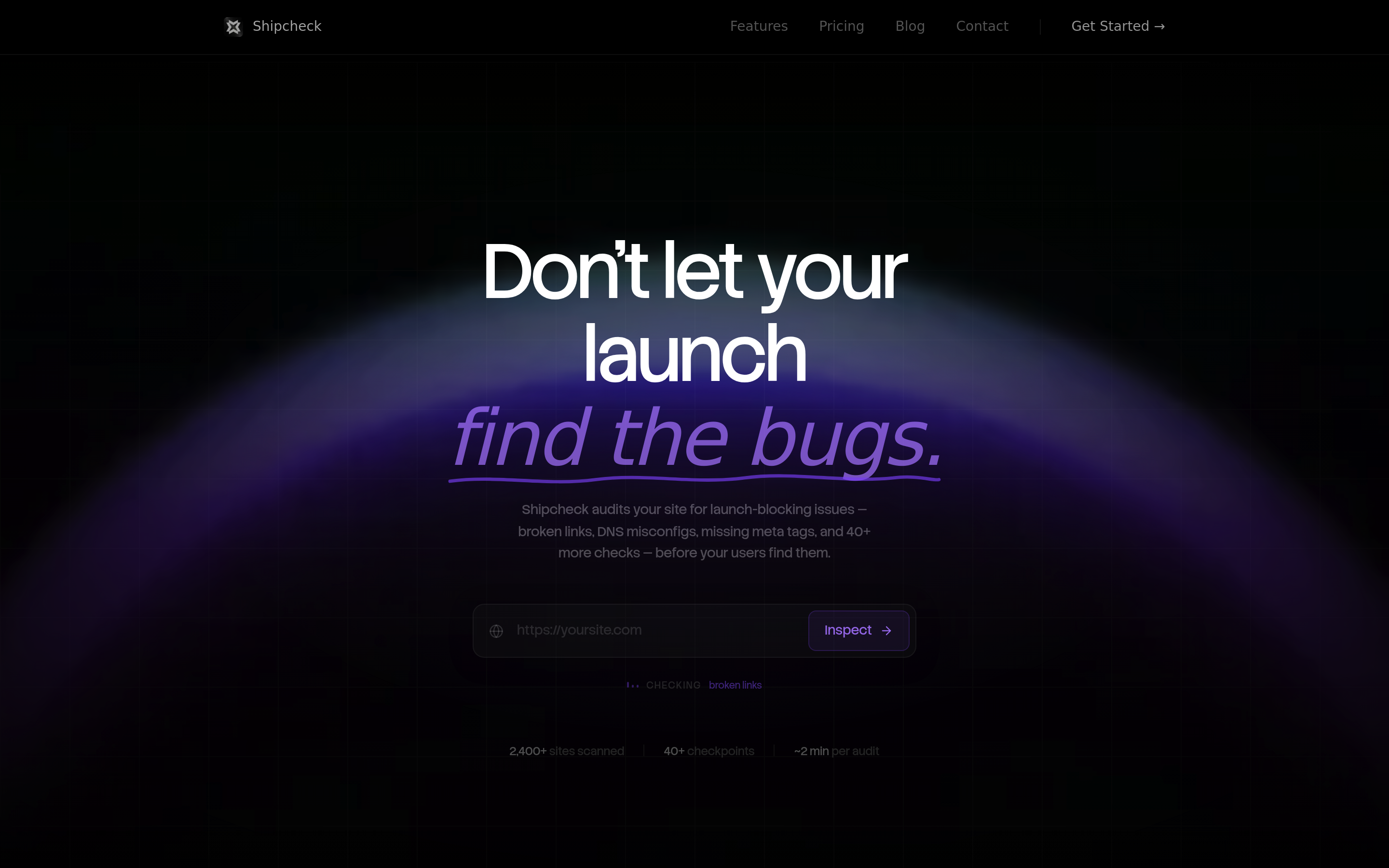
Shipcheck is a modern website auditing tool built specifically for startups, indie makers, and product teams who need to move fast without breaking things. Unlike bulky enterprise software, Shipcheck focuses on the immediate "Go/No-Go" decision, providing a compiled Readiness Score that tells you exactly how prepared you are to launch.
It goes beyond basic crawl data by incorporating essential infrastructure checks like DNS health and email deliverability protocols, which are often overlooked by standard SEO tools.
Top 5 Standout Features
- Comprehensive Readiness Score: Instantly aggregates 40+ checks into a single score, prioritizing issues that block launch.
- Infrastructure Audits: Validates non-content factors like DNS records, SPF, DKIM, and DMARC to ensure your transactional emails actually land in inboxes.
- Team Alerts: Integrates directly with Slack and Discord to notify the engineering team of issues without them needing to log into a dashboard.
- Launch Mode: Specialized audit settings designed for pre-live environments to catch staging-specific errors.
- API Performance: Checks not just the frontend, but the response times of your API endpoints to prevent backend bottlenecks.
Pros and Cons
Pros
- Speed: Audits are incredibly fast (typically under 2 minutes), making it easy to run repeatedly during deployment.
- All-in-One Utility: Combines SEO, security, performance, and email deliverability checks, reducing the need for multiple subscriptions.
- Pricing: The $15/mo "Indie" plan is highly affordable for the value it provides to bootstrapped teams.
- Actionable Advice: Errors aren't just listed; they come with clear remediation steps so you know how to fix them.
Cons
- Limited Integrations: Currently focused heavily on Slack and Discord; lacks native Jira or Trello integrations.
- No Human UX: Automated checks cannot replace a human walking through the user journey for logic flows.
- Free Guide Rails: The free plan is excellent for a quick check but limits history and alert functionality.
Pricing
- Starter: Free (Basic audits).
- Indie: $15/month (Includes Launch Mode, full history, and Slack alerts).
- Founder: $29/month (Priority reports and processing).
Best For
Startups, Indie Makers, and small product teams. If you need a definitive "thumbs up" before announcing your launch on Product Hunt or Hacker News, Shipcheck is the ideal tool.
2. Checkbot
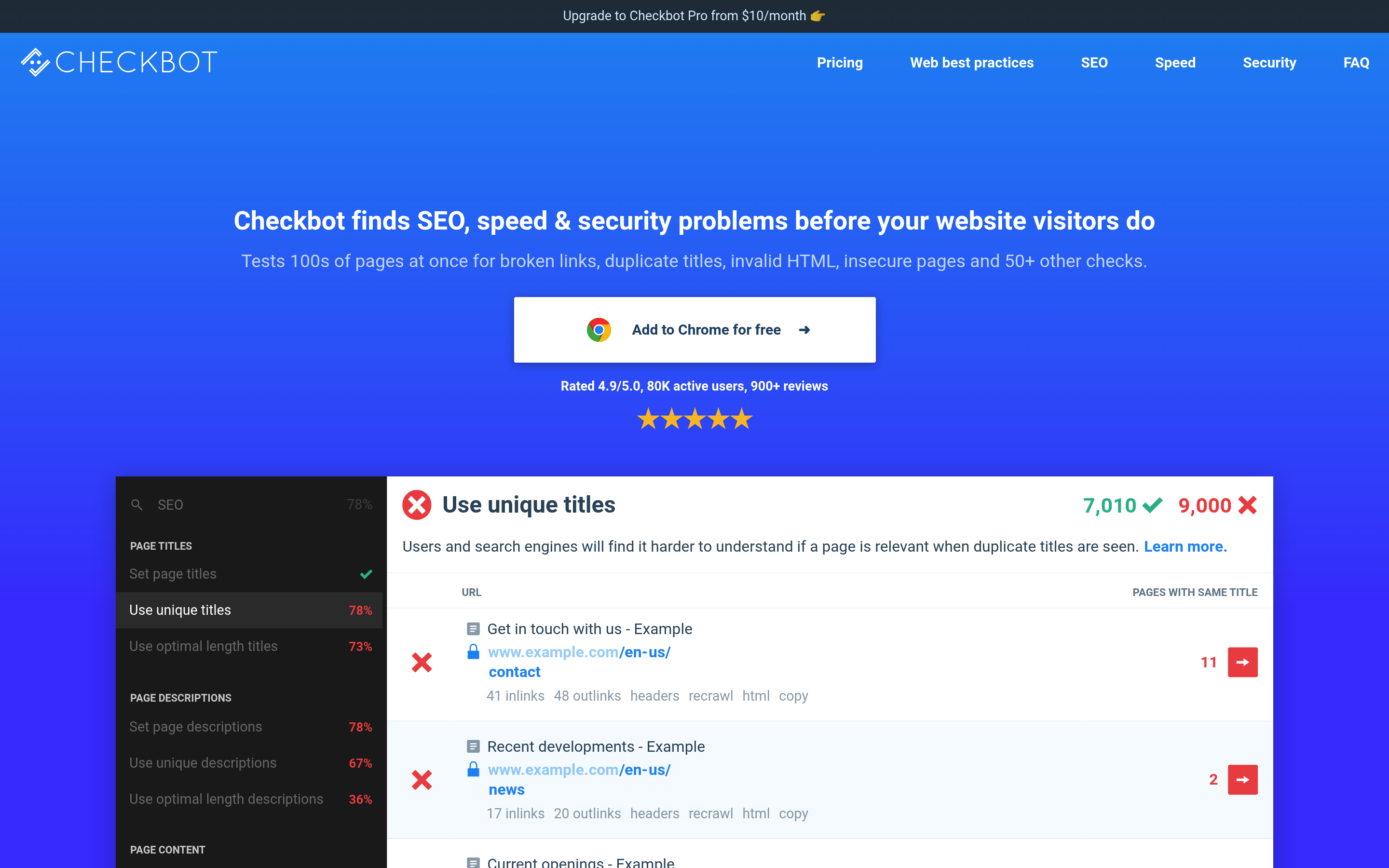
Checkbot is a powerful Chrome extension that brings the website crawler directly into your browser. It allows you to test thousands of pages for broken links, duplicate content, and invalid HTML without leaving your current tab.
Because it runs locally in your browser, it is uniquely capable of auditing sites that aren't on the public web yet, making it a favorite for developers working in local environments.
Top 5 Standout Features
- Localhost Support: Can crawl development versions of websites (e.g.,
localhost:8080) that server-based crawlers cannot reach. - Link Explorer: Visualizes internal linking structures and redirect chains, helping you optimize site architecture.
- Bulk Testing: Runs 50+ SEO and security best-practice checks across hundreds of URLs simultaneously.
- Technology Validation: Checks specific technical elements like standard caching headers, minification of CSS/JS, and secure headers.
- URL Pattern Skipping: Allows you to customize the crawl scope to ignore specific folders or admin areas.
Pros and Cons
Pros
- Local Development: The ability to audit a site running on your own machine is unmatched for pre-staging checks.
- No Server Costs: Since it utilizes your computer's processing power, there are no cloud credits to worry about.
- Visual Graphs: The internal linking diagrams are excellent for visualizing SEO architecture flow.
Cons
- Browser Dependency: As a Chrome extension, running a massive crawl can slow down your browser or use significant local RAM.
- Export Limits: Advanced reporting features like CSV and PDF exports are locked behind the paid plan.
- No Automation: You cannot schedule this to run automatically at 3 AM; you must manually trigger the scan.
Pricing
- Basic: Free (Limited URLs per crawl).
- Professional: $15/month (or $10/month if billed annually).
Best For
Web Developers and Technical SEOs. If you are coding a site locally and want to ensure it is clean before you even push it to a staging server, Checkbot is your tool.
3. Seobility
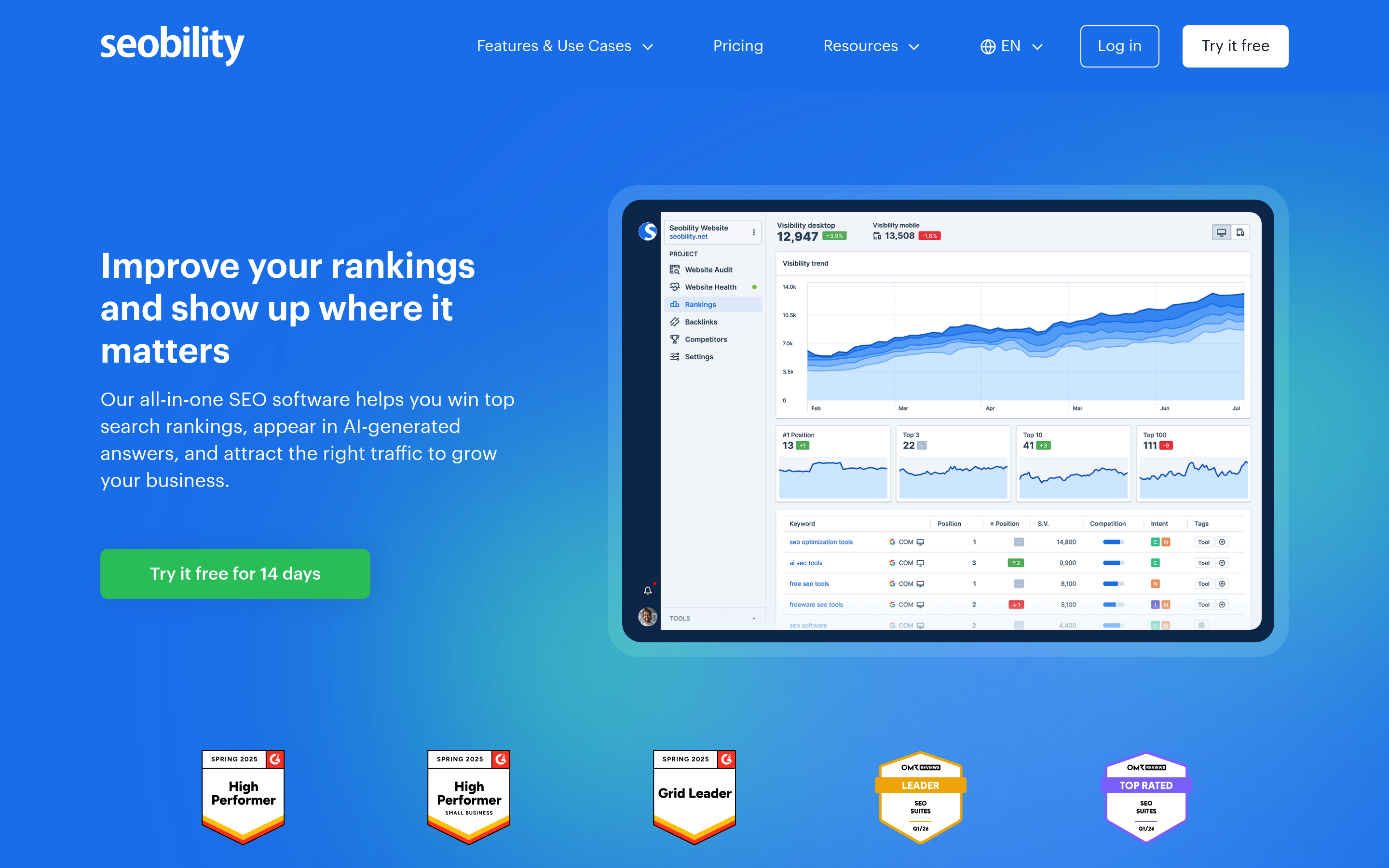
Seobility is a robust all-in-one SEO suite. While most tools on this list focus purely on the "health check" aspect, Seobility bridges the gap between technical auditing and long-term search engine strategy.
It offers deep insights into content relevancy and competitor performance, making it a great choice for teams that want to transition seamlessly from "launch mode" to "growth mode."
Top 5 Standout Features
- TF*IDF Analysis: Advanced content analysis that helps you optimize topical relevance compared to top-ranking competitors.
- Rank Tracking: Monitors your keyword positions on desktop and mobile, including new features like AI Overview tracking.
- Competitor Gap Analysis: detailed reports on keywords and backlinks your competitors have that you do not.
- Continuous Monitoring: Runs scheduled crawls to detect new issues that arise after launch.
- White-Label Reporting: Allows agencies to brand the PDF reports with their own logo.
Pros and Cons
Pros
- Comprehensive Suite: You get auditing, rank tracking, and backlink monitoring in one dashboard.
- Content Optimization: The text analysis tools are superior for ensuring your customized content is actually SEO-friendly.
- Value: Offers a very generous free tier for small websites and reasonable pricing for the premium features.
Cons
- Complexity: The interface is dense with data, which can be overwhelming for beginners who just want a simple checklist.
- Update Frequency: Rank tracking updates and crawl frequencies are slower on the lower-tier plans compared to enterprise competitors.
- Focus: It is less focused on "instant launch readiness" and more on "long-term SEO health."
Pricing
- Basic: Free (1 project, limited pages).
- Premium: €49.90/month (approx. $55 USD).
- Agency: €179.90/month.
Best For
SEO Managers and Marketing Teams. If your primary goal is organic traffic growth post-launch, Seobility provides the toolkit to sustain that momentum.
4. Sitepager
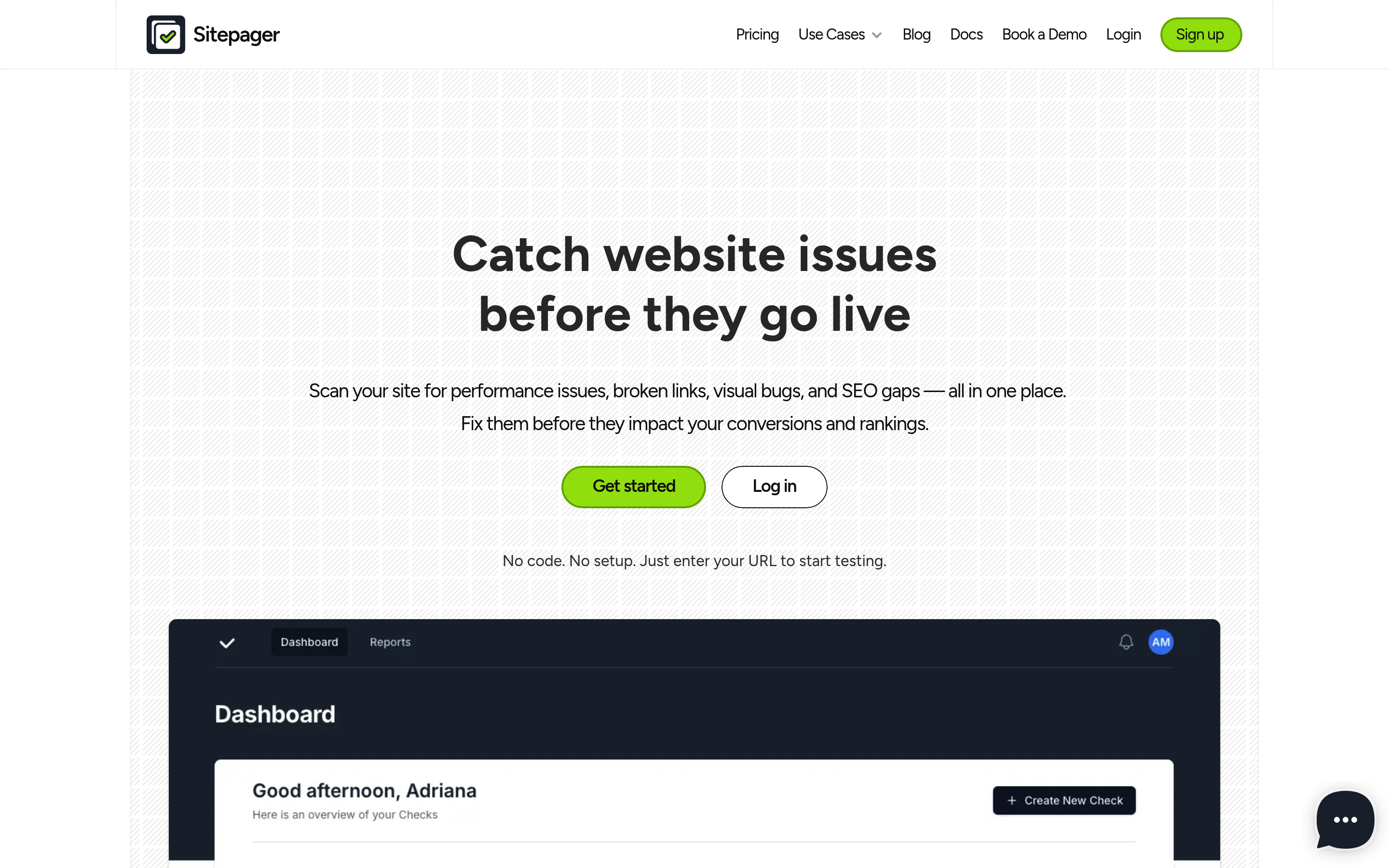
Sitepager tackles a problem that most code-based crawlers miss: visual bugs. It creates an automated testing environment that looks for visual changes, broken layouts, and functionality issues.
This is particularly useful for design-heavy websites where a CSS update might accidentally shift a button off-screen or break a layout on a specific tablet resolution.
Top 5 Standout Features
- Visual Change Detection: AI-powered comparison that spots visual regressions (layout shifts) between scans.
- Dynamic Content Testing: Capable of testing interactive elements and dynamic content that static crawlers often miss.
- Geolocation Testing: Verifies that localized content appears correctly based on the user's region.
- Sitemap Gap Detection: analyzing your sitemap to find orphaned pages that aren't being indexed.
- No-Code Setup: Highly accessible for non-technical users; simply enter the URL and start testing.
Pros and Cons
Pros
- Visual Focus: It captures the "human" experience of a broken layout better than text-based parsers.
- Global Readiness: The geolocation features are vital for international launches.
- Ease of Use: Requires zero installation or server configuration to start running audits.
Cons
- Cost: Only the "Starter" plan is $29/mo, which is higher than competitors like Shipcheck.
- Credit System: Heavy usage might eat through your credit limits quickly on lower plans.
- Documentation: Technical documentation for CI/CD integrations is less publicly visible than developer-centric tools.
Pricing
- Starter: $29/month.
- Pro: $119/month.
- Enterprise: Custom pricing.
Best For
Designers and Frontend Developers. If you are terrified that your beautiful design will break on different screen sizes or locations, Sitepager provides visual assurance.
5. WooRank
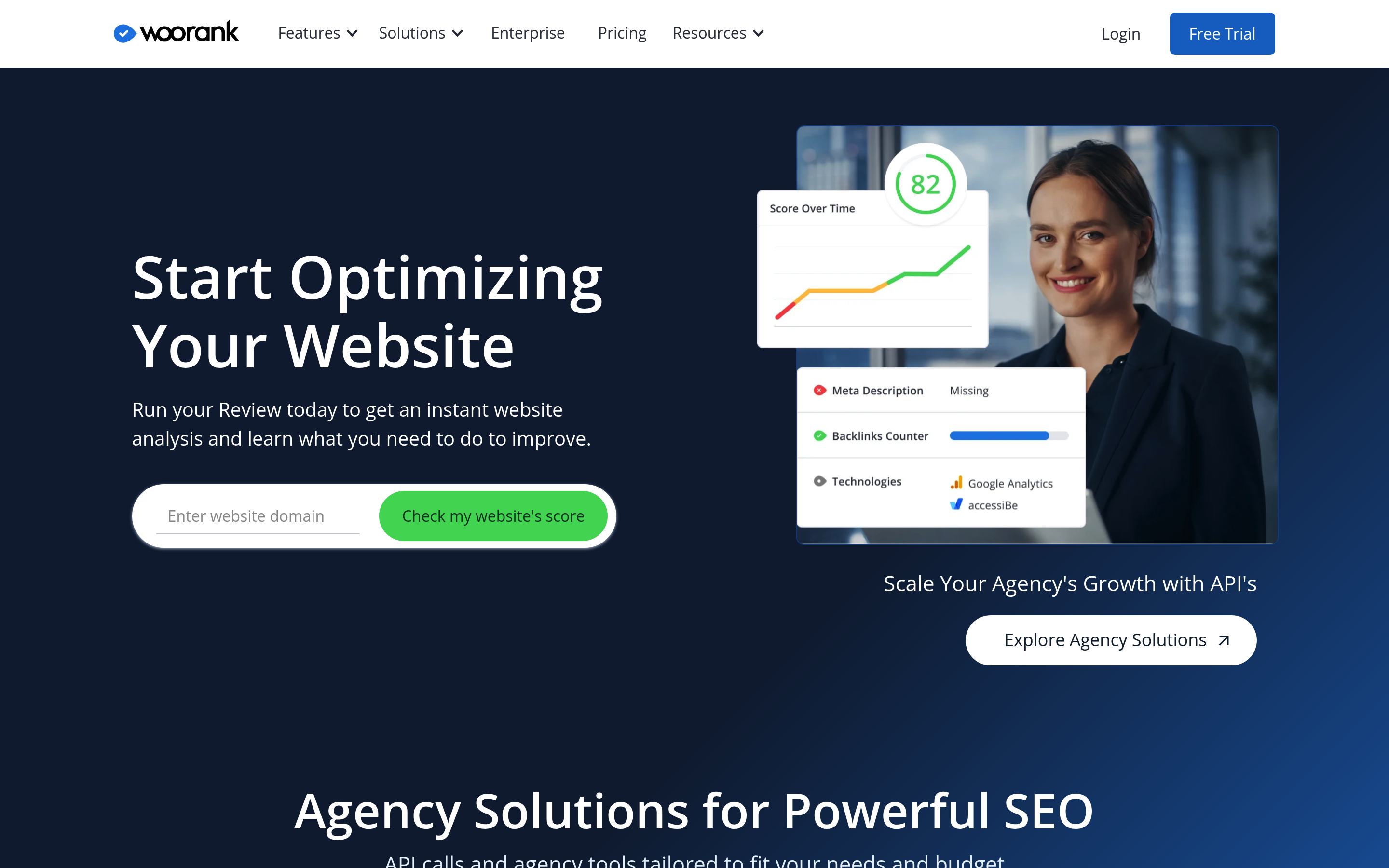
WooRank is a staple in the agency world. It is designed to turn technical data into marketing insights. It excels at generating beautiful, easy-to-understand reports that you can hand directly to a client or a non-technical stakeholder.
While it performs the standard technical checks, its real power lies in its sales enablement and competitive benchmarking features.
Top 5 Standout Features
- Instant Review Score: Generates a 0-100 score that is widely recognized and easy for clients to understand.
- Lead Gen Widget: A tool you can embed on your own agency site to audit visitors' sites and capture their email.
- Marketing Checklist: Prioritizes tasks based on marketing impact rather than just technical severity.
- Bulk Reporting: Allows agencies to generate reports for high volumes of client sites simultaneously.
- Social & Local: specialized checks for social media presence and local directory listings.
Pros and Cons
Pros
- Client Presentation: The reports are polished, white-label ready, and designed to sell services.
- Sales Enablement: The lead generation tools help agencies win new business, paying for the tool itself.
- Simplicity: It simplifies complex SEO data into a digestible "To-Do" list.
Cons
- Pricing Transparency: Pricing structure is not publicly detailed on all landing pages, often requiring sales contact.
- Marketing Heavy: Developers might find the "Marketing Checklist" less precise than a raw technical debugger.
- Integration Learning Curve: Setting up the API for large-scale workflows takes some effort.
Pricing
- Pricing: Custom / Sales-based (14-day free trial available).
Best For
Digital Agencies. If you prefer to send a "Pre-Launch Certification" report to your client to prove the site is ready, WooRank is the industry standard.
How to Choose the Right Pre-Launch Audit Tool
With so many options, which tool belongs in your stack? It largely depends on your role and your specific launch anxiety.
-
For the "Indie Hacker" / Solo Founder: You need speed, affordability, and deep technical peace of mind. Shipcheck is your best bet. It checks the scary stuff (DNS, broken links) for the price of a few coffees, directly integrating with the tools you use (Slack).
-
For the Front-End Developer: If you live in your code editor and browser, Checkbot fits your workflow perfectly. The ability to scan
localhostprojects means you catch bugs before they ever touch a staging server. -
For the Marketing Agency: If you need to impress clients with professional documentation, WooRank or Seobility are the clear winners. They provide the polish and white-labeling capabilities that justify your retainer fees.
-
For the Visual Perfectionist: If your site relies on complex layouts and animations, Sitepager is the only tool on this list that will catch visual regressions effectively.
Decision Matrix
| Your Priority | Recommended Tool |
|---|---|
| I need a quick "Go/No-Go" score | Shipcheck |
| I need to test locally while coding | Checkbot |
| I need to track rankings long-term | Seobility |
| I need to ensure the design didn't break | Sitepager |
| I need to generate reports for clients | WooRank |
Conclusion: Are You Ready to Ship?
Launching a website doesn't have to be a terrifying leap of faith. The difference between a stressful launch and a celebration is preparation. By combining the 15-step manual checklist with a robust automated audit, you eliminate 99% of the risks associated with going live.
Automation gives you the speed; manual review gives you the nuance. Together, they ensure your hard work gets the debut it deserves.
Don't leave your launch to chance.
Start simple. Get a baseline of where you stand right now. Run a free Shipcheck audit now to get your pre-launch readiness score in less than 2 minutes.
Frequently Asked Questions (FAQs)
How long before launching a website should I start the checklist?
Ideally, you should run your first full audit on your staging environment one week before launch. This gives you time to fix complex technical issues like slow load times or SSL configuration errors. Run a final specific "sanity check" audit 24 hours before going live.
Is a manual checklist enough, or do I need software?
You can technically do everything manually, but it is risky. Software catches "invisible" errors that human eyes miss—such as broken internal redirects, missing canonical tags, or mixed content warnings deep in your blog archives. A hybrid approach (Manual for UX, Software for Code/SEO) is best.
What is the most common mistake people make before launching?
The most frequent and damaging mistake is leaving noindex tags on the production website. Developers often add these tags during the staging phase to keep the unfinished site private, but forgetting to remove them upon launch blocks Google from indexing your site entirely.
Can I run these checks on a password-protected staging site?
Yes! Tools like Shipcheck (via its Launch Mode features) and Checkbot (via your local browser session) allow you to audit password-protected or local environments. Most cloud-based SEO crawlers cannot access password-protected sites, so be sure to choose a tool that supports staging audits.
Ready to ship with confidence?
Catch bugs before your users do. Start your free audit today.